Isogen Index

A desktop app for EVE Online industrialists. See which of your blueprints actually make ISK, plan what to build, and watch your net worth grow.

Download for Windows & Linux Source on GitLab

Know what's worth building

  • Every blueprint you own, originals and copies, from all your characters and their corporations, in one table.
  • Real costs: live market prices for the materials, job installation cost from system cost indices, broker fees and sales tax.
  • Profit and profit per hour, so short, steady builds don't get lost behind big, slow ones.
  • Sort by any column, filter by name, and hide the ones that lose money.
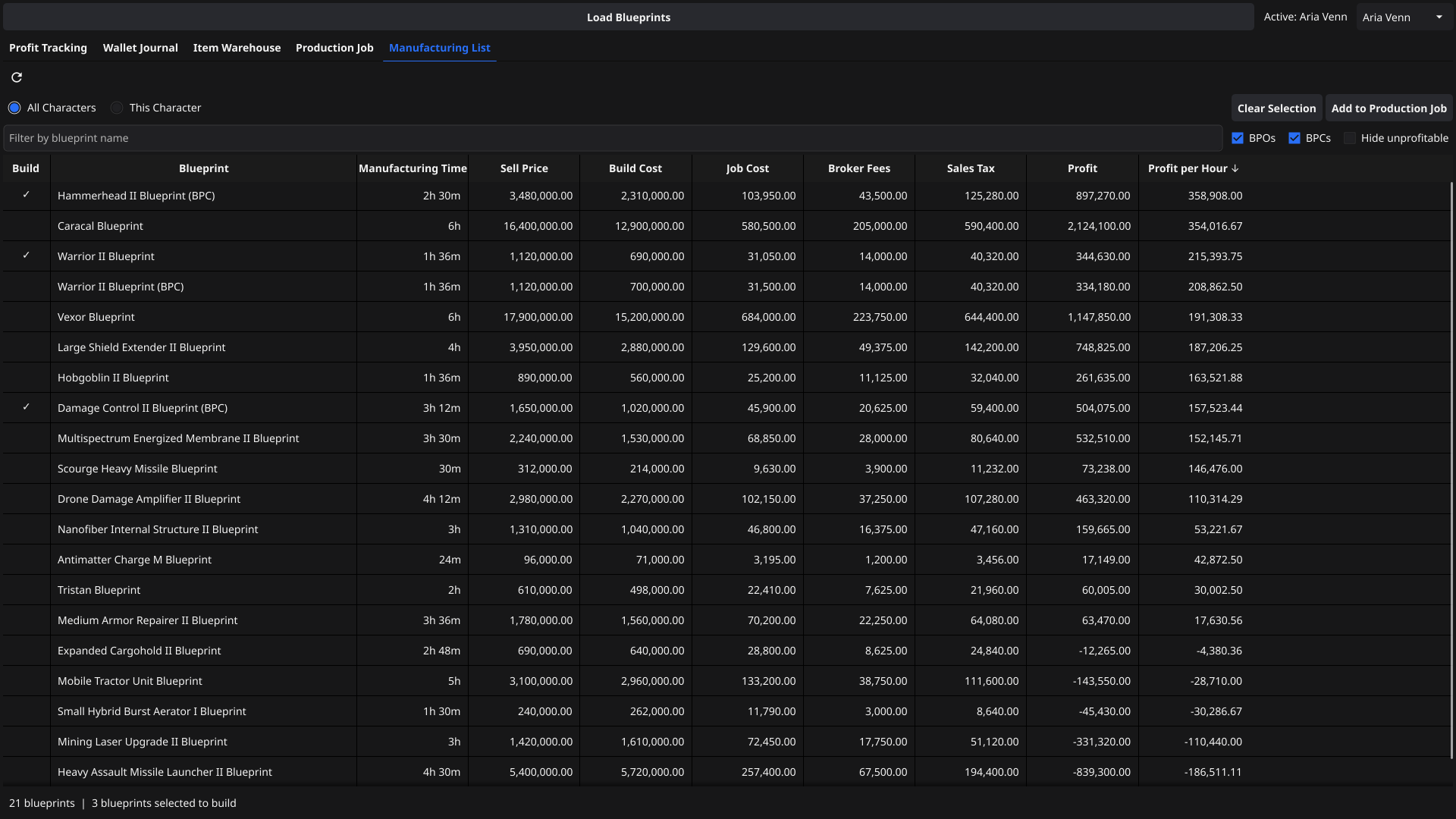
Manufacturing List: blueprints with sell price, build cost, job cost, fees, profit and profit per hour

Plan a production run

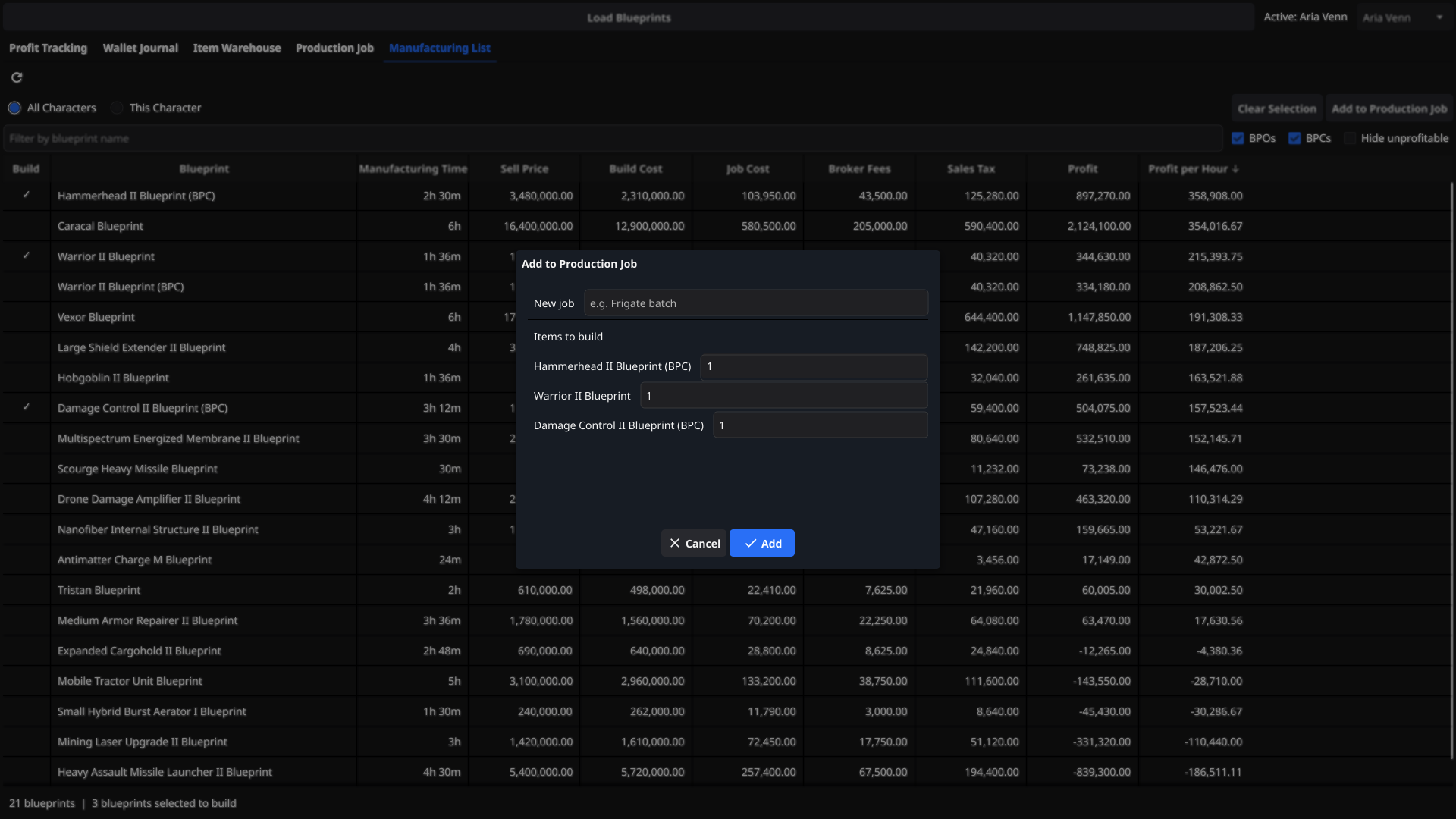
  • Tick the blueprints you want in the Manufacturing List and add them all to a job at once.
  • Say how many of each item to build. Isogen Index works out the runs, output, costs, profit and build time.
  • Jobs are saved, so your plan is still there next time you open the app.
Add to Production Job dialog with three ticked blueprints

A shopping list that knows your hangar

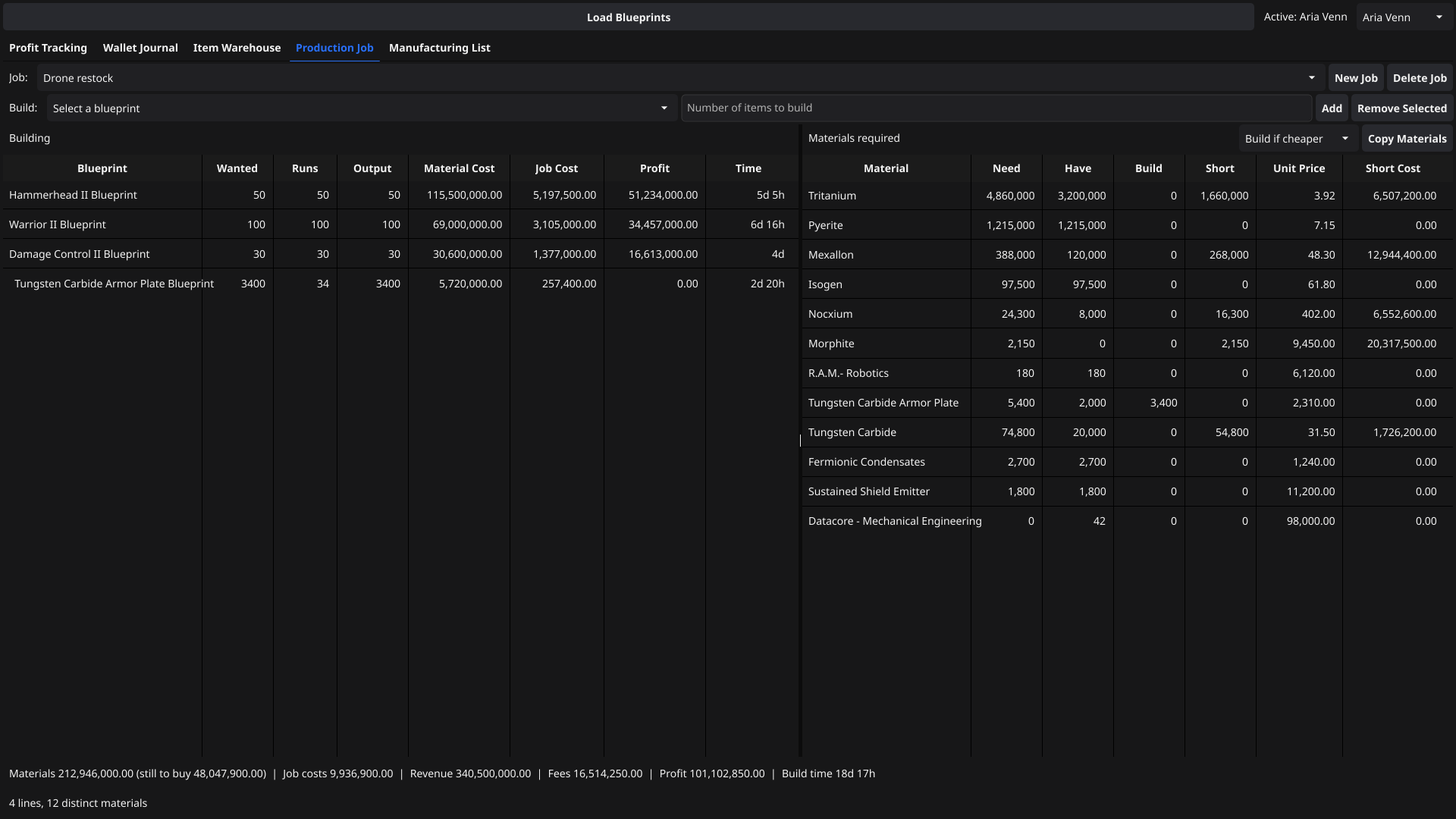
  • All the materials the whole batch needs, added up into one list.
  • Need, have and short for each material, using what you already own.
  • Build or buy: plan the components you're short of as sub-builds when building them is cheaper, or clears your ISK/hour threshold.
  • Copy Materials puts the shortfall on the clipboard, ready to paste into the in-game multibuy window.
  • A summary of the whole batch: materials still to buy, job costs, revenue, fees, profit and total build time.
Production Job tab: per-blueprint breakdown including a component sub-build, and a stock-aware materials list

Costs that match where you build

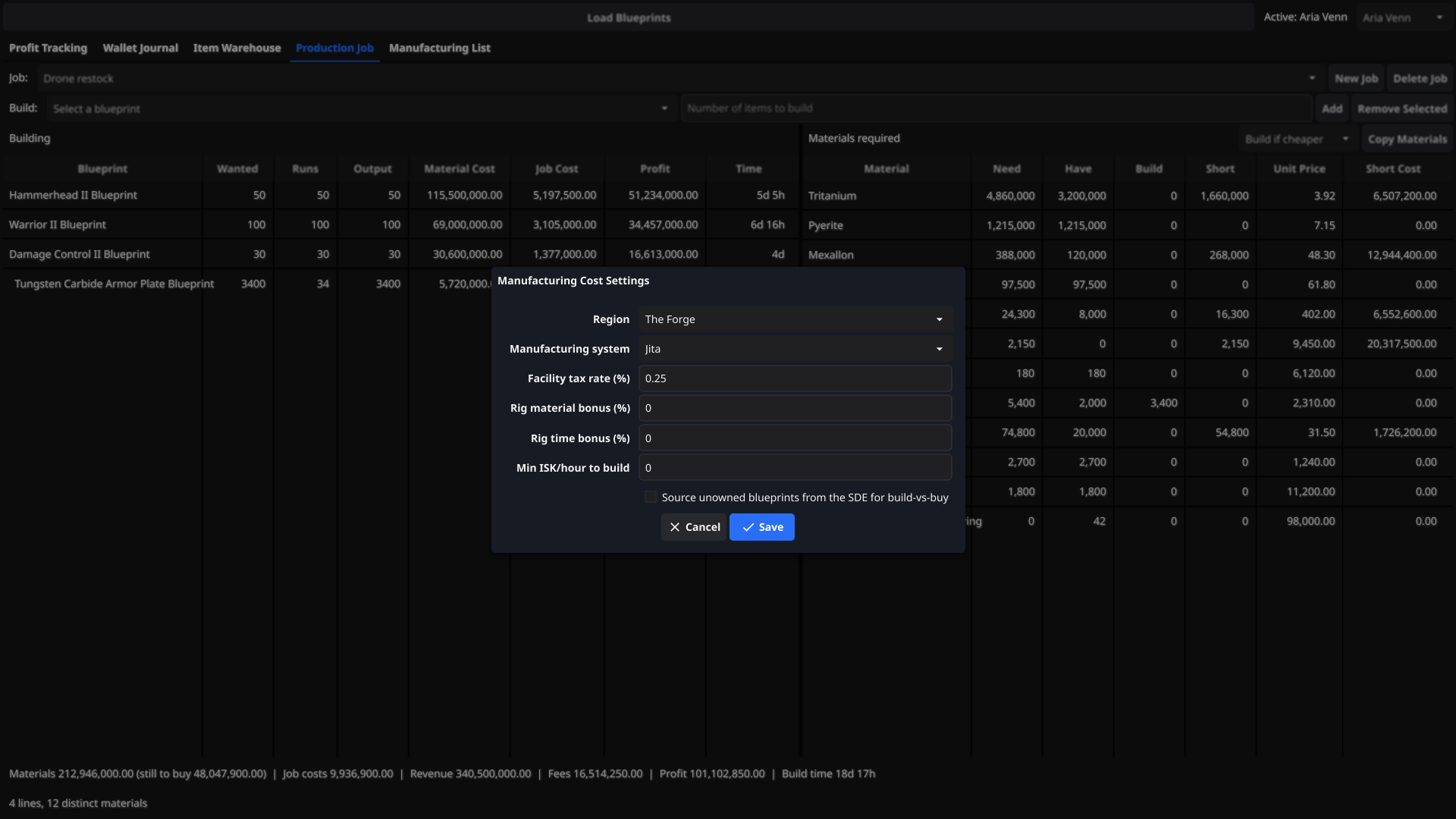
  • Pick your manufacturing system by region and name. Job costs use that system's cost index.
  • Set your facility tax and your engineering complex's material and time rig bonuses.
  • Settings and your trade hub are saved between sessions.
Manufacturing Cost Settings dialog with region, system, facility tax, rig bonuses and ISK/hour threshold

Track your profit over time

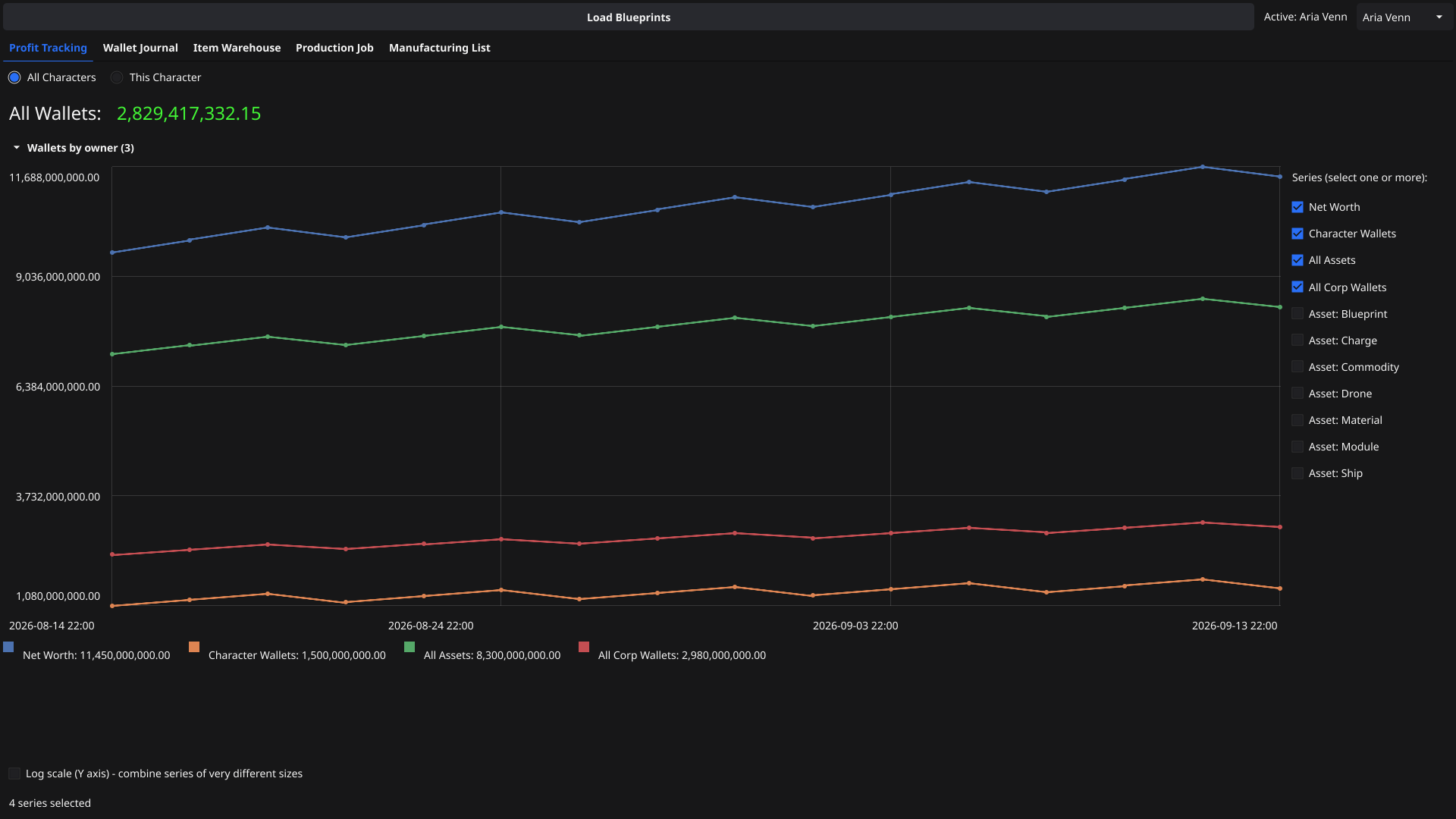
  • Records your wallets and assets on startup and every hour while the app is open.
  • Chart net worth, character wallets, corp wallets and each asset category, for one character or all of them.
  • Switch on a log scale to compare billions and millions on the same chart.
  • Also includes a wallet journal and an item warehouse to browse your assets.
Profit Tracking chart of net worth, wallets and assets over a month

Getting started

1. Download the Windows installer or the Linux build from the latest release.
2. On first launch the app downloads EVE's static data. This can take a few minutes.
3. Choose Character → Add Character and log in through EVE's official SSO. Add as many characters as you like.